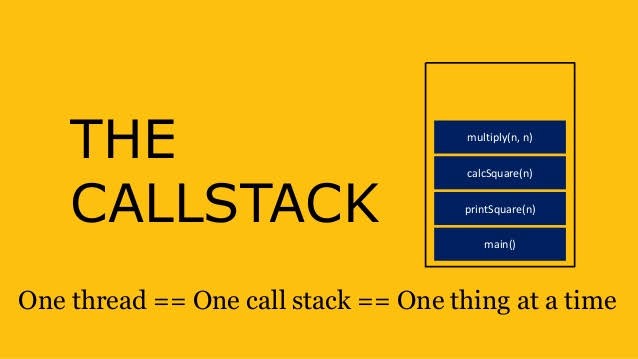
Asynchronous JavaScript & EVENT LOOP
Understanding of Event loop in simple terms.

Key points on browser before starting Event Loop
Browser has JS Engine which has a Call Stack, In which has it Global execution context, local execution context etc.
But browser has many other features in built(in window object)- Local storage space, Timer, place to enter URL, Bluetooth access, Geolocation access and so on.
Now JS needs some way to connect the callstack with all these features . This is done using Web APIs.
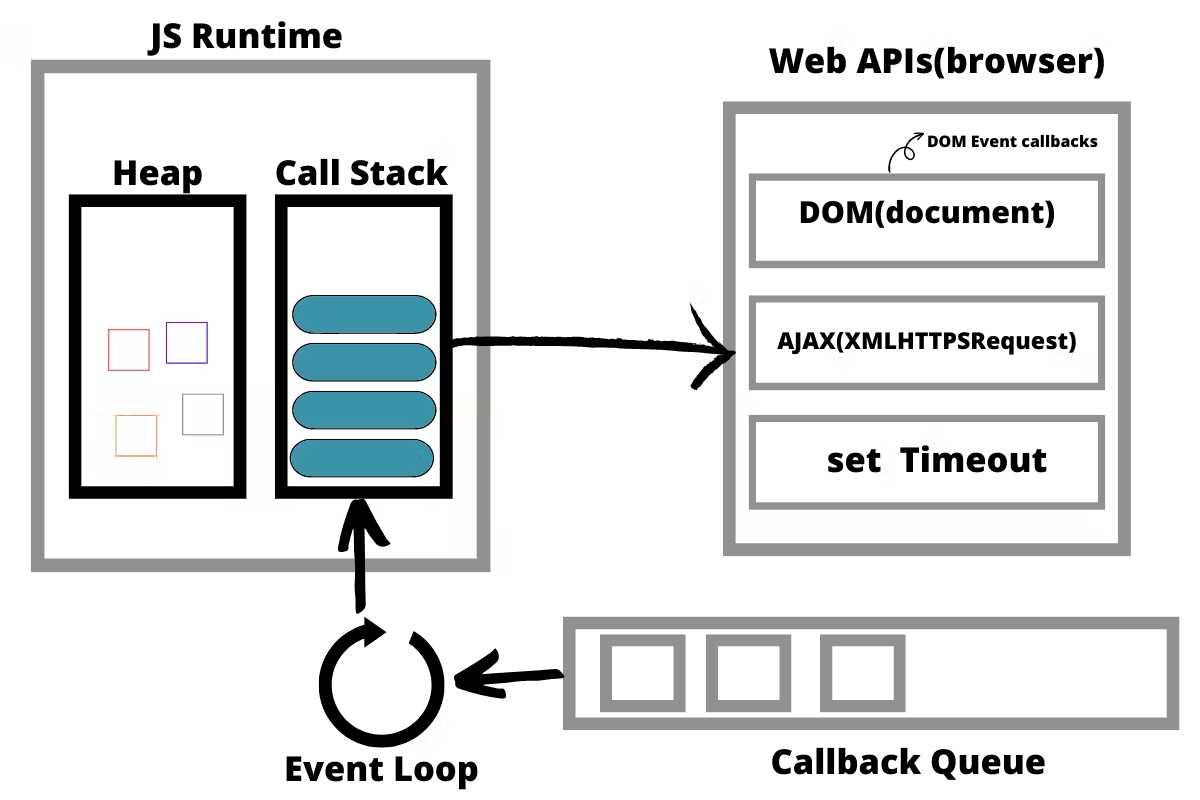
Getting deep into Event Loop and Web API
Web api are extra features that browser has. Browser gives access to JS callstack to use these features.
some of the features are setTimeout(), DOM APIs, fetch(), local storage, console (yes, even console.log is not JS!!), location and so many more. We get all these inside call stack through global object ie. window. we use window keyword like : window.setTimeout(), window.localstorage, window.console.log() to log something inside console. As window is global obj, and all the above functions are present in global object, we don't explicitly write window but it is implied.
- setTimeout() : It is a Timer function.
- DOM APIs : eg.Document.xxxx ; Used to access HTML DOM tree. (Document Object Manipulation)
- fetch() : Used to make connection with external servers eg. Netflix servers etc.
Example :-
console.log("start");
setTimeout(function cb() {
  console.log("timer");
}, 5000);
console.log("end");
// start end timer
Step wise Explanation as follows :-
Step 1 : First a GEC is created and put inside call stack.
Step 2 : console.log("Start"); // this calls the console web api (through window).
Step 3 : setTimeout(function cb() { //this calls the setTimeout web api which gives access to timer feature. It stores/registers the callback cb() and starts timer. console.log("timer");}, 5000);
Step 4 : console.log("End"); // calls console api and logs in console window. After this GEC pops from call stack.
Step 5 : While all this is happening, the timer is constantly ticking. After it becomes 0, the callback cb() has to run.
Step 6 : Now we need this cb to go into call stack. Only then it will be executed. For this we need event loop and Callback queue.
Step 7 : cb() cannot simply directly go to callstack to be execeuted. It goes through the callback queue when timer expires.
Step 8 : Event loop keep checks if the call stack is free and checks callback queue, to see if it has any element to put it into call stack.
Step 9 : Once cb() is in callback queue, eventloop pushes it to callstack to run. Console API is used and log printed.
Note: Credits to 'akshay saini' video and blogs